
Improve Accuracy and Trust in AI Outputs (PART 1)
You can never fully “trust” a general‑purpose GenAI, but you can systematically control, check, and bound it so that errors become rare, detectable, and low‑impact.

4 Tips to Get Results You Can Trust
To increase trust and accuracy when using Gen AI models, follow these four tips:
1. Define a Highly Specific and Narrow Task
Proper prompting is the first step in getting good results from AI. Because prompts are essentially description of tasks that the AI needs to execute, you need to be specific in your instructions.
A well-defined task is the foundation of a useful result. Instead of vague requests like “tell me what’s important,“ you should use unambiguous action verbs such as summarize, extract, classify, or compare.
Providing specific constraints prevents the AI from guessing what you find important, which is a common source of error. To further increase accuracy, narrow the scope of your questions; smaller, specific jobs reduce guessing more effectively than broad, complex requests.
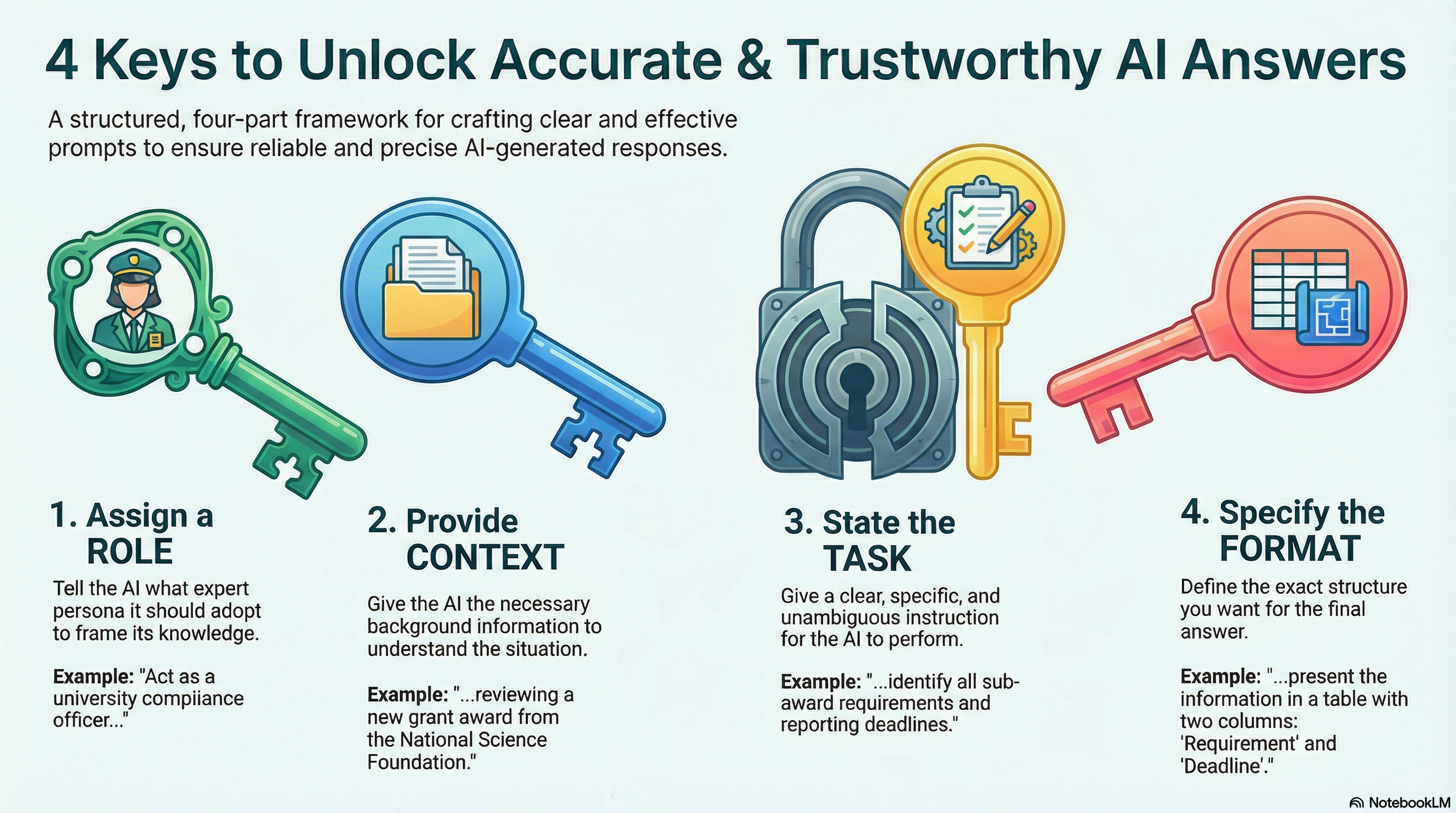
2. Use the “Role, Context, Task, and Format” Structure
A high-quality prompt should be structured to include four essential elements:
Role: Define who the AI should be (e.g., “Act as a university compliance officer“).
Context: Provide necessary background (e.g., “You are reviewing a new grant award“).
Task: Give clear, specific instructions for the job to be done by the AI.
Format: Specify exactly how you want the answer presented, such as in a two-column table. When your expectations for the output are clear, they help reduce the room for interpretation or guessing.
3. Implement Reasoning and Self-Correction Commands
To expose potential logic flaws and increase reliability, use Chain-of-Thought prompting, which requires the model to articulate its reasoning step-by-step before providing a final answer.
For example, you can request your AI to begin by providing a detailed description of the process it will follow. You can also instruct your AI to ask you clarifying questions, before proceeding with the task. Only when the process and clarifying questions are clear, you give the go ahead to execute the task.
Additionally, you can push the model into a “critique phase” by adding a specific instruction at the end of your prompt to “verify your answer“ or “check your work for errors“. This encourages the model to look back at its finished output and compare it against the original instructions to catch inconsistencies.
Ask adversarial follow‑ups: “Critique your answer above. What might be wrong or missing? Where could you be hallucinating?”
4. Set Explicit Boundaries and Request Confidence Levels
The simplest and very effective instruction is to give the AI “permission to say I don’t know“ if the answer is not clearly present in the data or supported by sources.
To build further trust, ask the AI to “assign a confidence label (high, medium, or low)” to each of its claims; this forces the model to self-assess its certainty before presenting information as fact.
You can also explicitly force the model to tie claims to sources: “For any external factual claim, provide references I can independently check (URLs, paper titles, or standards). If unsure, say you’re unsure.” This pushes the model toward faithfulness to context rather than free‑form invention.
If you are providing a specific set of data to analyze, to prevent “hallucinations” (invented facts):
You must explicitly tell the AI to “only work from the given information“ and not use its internal training data.
Use strong instructions: “Answer only from the provided documents. If the documents lack sufficient information, say ‘not in documents’ rather than guessing.”
For numerical / data analysis on uploaded tables, logs, or datasets:
“Show the exact formula or logical rule you apply for each metric, then show intermediate calculations.”
“Summarize results, then simulate an audit: try to find where this analysis might be wrong, and list those potential issues.”
This makes it far easier to spot reasoning errors by inspection.
Practical Prompt Templates You Can Use
Here are a few short, reusable prompts you can add to your tasks into ChatGPT, Gemini, Claude, or NotebookLM:
1. General fact‑checking helper
“Your top priority is factual accuracy and faithfulness to sources. For the question below:
Answer concisely.
List the key facts you relied on.
For each fact, provide a citation or explain why you’re uncertain.
Then critique your own answer and list possible errors or missing pieces. If you are not reasonably confident, say ‘I’m not sure’ rather than guessing.”
2. Analysis over my documents
“You are working only with the documents I’ve provided. Task: Analyze them to answer the question below.
Rules:
Use only information from these documents.
For each conclusion, list the document name and exact section/page/quote supporting it.
If the documents don’t contain enough information, say ‘Not supported by documents’ and stop.
Then:Briefly explain where your analysis might be wrong or incomplete.”
3. Double‑check the AI answer
“As you work through your analysis, provide a list at the end with the following:
Identify any statements that are likely hallucinations, unsupported claims, or logical errors.
For each, explain why it might be wrong and what evidence would be needed to confirm it.
Identify claims or factual data where your confidence level is less than 80%.”
Read PART 2 of this article: