
Vibe-Coding and Why Your Product Brief is Killing Your MVP

In the era of vibe-coding, the distance between a raw idea and a functioning product has shrunk to the size of a single day. However, there is a common trap that many creators fall into by treating a vibe-coding tool like a traditional stakeholder that needs a fully scoped business plan before approving your product idea.
If you hand these platforms a thirty-page product brief (or your PRD), you will not get a better product. Instead, you will likely receive a fragmented application that is bloated, confused, and nearly impossible to pivot.
Also, vibe-coding is a useful tool for PMs to test initial ideas about new features or entirely new products. And for this we don’t need the full specs. Actually, this is a case where less is better.
To master the initial prompt, you must learn to build something lean and functional that remains truly valuable to your end user.
The Product Brief Problem: Noise vs. Signal
Traditional product briefs (or PRDs – Product Requirement Documents) are designed for stakeholders rather than builders. When you feed a vibe-coding platform details about your monetization strategy, competitive analysis, or your five-year roadmap, you are introducing significant noise. These details often serve as hallucination bait for the AI or just make everything too complex.
The tool may try to be helpful by incorporating every detail you mention. If you discuss a subscription model too early, the AI might start building complex paywalls before you have even validated if the core solution works. Instead of testing problem-solution fit, you jump straight into solution-market fit without any initial validation.
This over-explanation of the business side distracts the AI from the actual user experience. You end up with a product that attempts to do everything but succeeds at nothing.
Focus on the Core: The Anti-Feature Mindset
The biggest risk in a first build is unnecessary complexity. A complex codebase is a rigid codebase. To keep your product clean enough to refine or quickly clean up if you need to pivot, your instructions must be surgical. You should prioritize the core features that are strictly needed to test the product with your users and ensure it provides value.
1. First, be aggressively clear about the specific problem you are trying to solve for your users right now.
2. Second, describe what the solution looks like at a high level while leaving the implementation details flexible.
3. Third, explicitly state what you have not decided yet. Telling a vibe-coding tool what is still up in the air prevents it from making permanent architectural assumptions that you will have to manually fix later.
What to Include and What to Ignore
To get a high quality build without accumulating technical debt, you must add specific guardrails to your prompt.
You want to avoid bloating your first build with a list of all possible future features. This makes the product difficult to refine and hard to manage. If the prompt focuses only on the primary job to be done, the resulting code remains lightweight and adaptable.
You should include details about the look and feel, such as colors and style, because these define the personality of the interface. However, you should not include details about database schemas or technical architecture. While these technical details can be added later as an option, they should not be a requirement for the initial build (unless you find them critical to your build, then specify them upfront).
Introducing the Vibe Prompt Builder
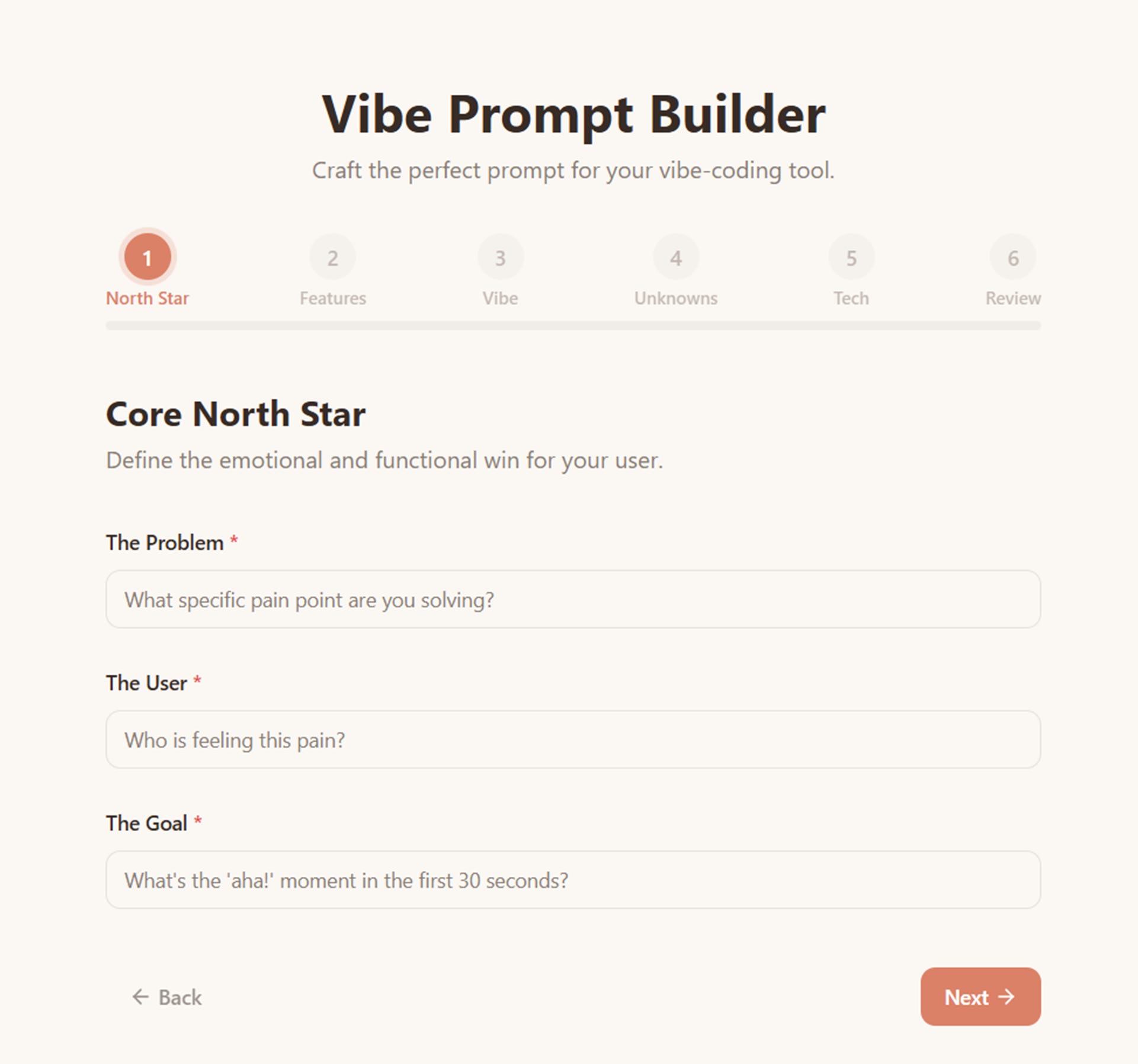
Writing this perfect balance of focused functionality is a new skill for many product creators. To help bridge this gap, I have created a tool called the Vibe Prompt Builder. This tool helps product creators write a strong initial prompt to get started with vibe coding. The goal of this tool is to be intentionally focused on the key features and core elements of the user experience, while avoiding the rabbit hole trap of getting lost into technical details or business model discussions.
The Vibe Prompt Builder is designed specifically for those who want to bypass the fluff of corporate documentation and get straight to a working prototype. It guides you through defining your core problem without letting you fall into the trap of over-engineering your first request. The goal is to build the smallest possible thing that is still useful. If a product is easy to build, it is inevitably easy to change.
The Vibe Prompt Builder helps you create the prompt. You then copy into your favorite vibe-coding tool and the magic of building your product starts!
https://vibe-coding-prompt.lovable.app
The Vibe Prompt Builder is available for free to use. Try it out - and post a comment here with your thoughts!
https://vibe-coding-prompt.lovable.app